1.3 Update Password
::Note! Users with University of Iceland account should use their University Credentials instead of updating their password. ::
You can reset your password by following the steps below
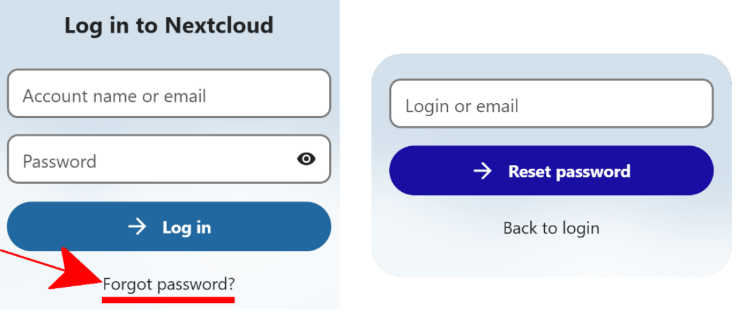
Figure 17. Resetting Password
1.3.1 Resetting Password
-
First, the user must go to the IREI cloud storage page, and click on the "forgot password?" button,
-
Once the user has clicked on that button, they msut enter their email address and click on "Rset password".
-
They should soon receive another email from IREI cloud storage.
-
The email should contain a button and/or link that will take the user to a page where they can reset their password
Figure 18. Enter a new password